
Jetbahis has no listing in Google Play or the App Store. On a phone you have two routes: open the website in a browser and pin it to the home screen (a PWA), or install an APK file on Android. This guide covers both, the traps to avoid and what to do when the address changes. It is an independent source and does not speak for the brand. The service is for adults aged 18 and over, gambling can be addictive and access may be restricted in your country.
- Reaching the Site from a Phone
- Adding a Home Screen Shortcut (PWA)
- Installing the Android APK
- iPhone and iPad
- Keeping a Phone Account Safe
- Common Mobile Problems
- FAQ
Reaching the Site from a Phone
The mobile site adapts to the screen width. Sports betting, slots, live tables and poker sit behind one login, and the balance is the same on every device. The weak point of a small screen is the address bar, which shortens the domain; look-alike pages count on exactly that. Take the address from the verified announcement channel, type it in yourself and look for the padlock.
Mobile data sometimes behaves differently from wifi. If a page fails on one network and loads on another, the problem is more likely the network than the address. A home router's DNS setting can interfere too, and switching networks is often the quickest test.
Adding a Home Screen Shortcut (PWA)
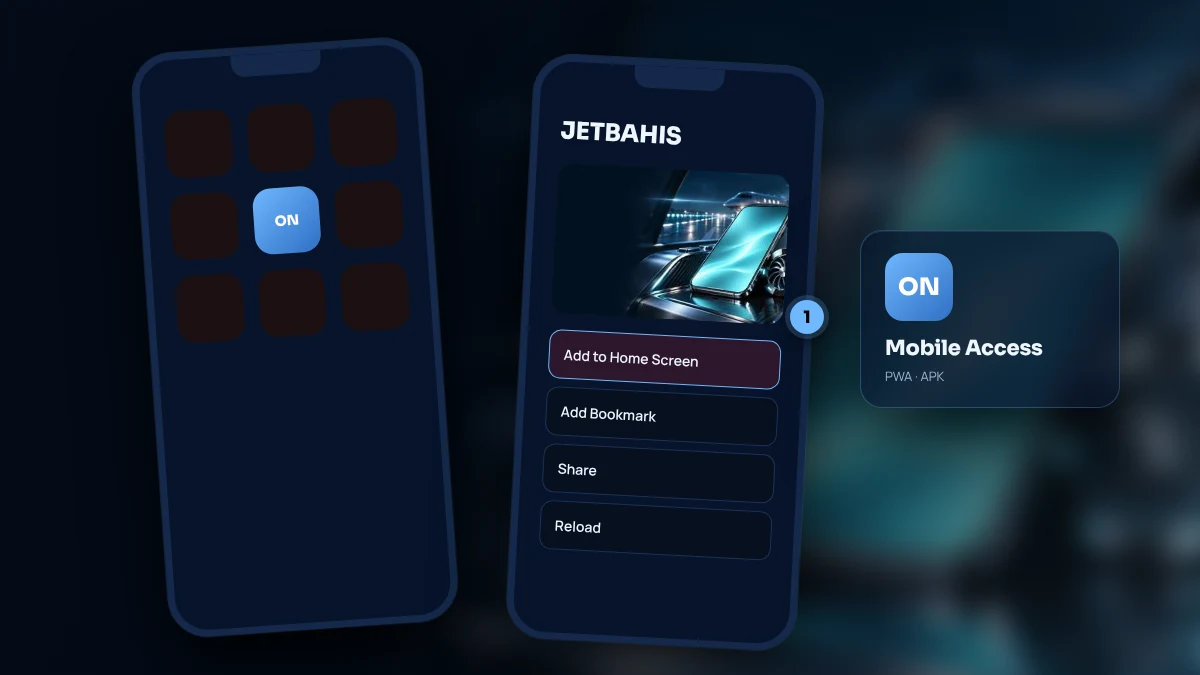
A PWA is a website icon that opens full screen like an app. It installs no package, needs no store and disappears with one tap. The site updates itself, so there is nothing to download later.
- Enter the address you took from the verified channel and let the page finish loading.
- Find the browser's menu button: it is the share arrow on iPhone and a column of three dots on Android.
- Pick the entry called "Add to Home Screen".
- Keep or edit the proposed name, then tap the icon that appears and check that the site opens.
The icon remembers the exact domain it was made from. When that domain is replaced, the icon is left pointing at nothing, so remove it, verify the new address with the method on the current address page and pin the site again.
Installing the Android APK
An APK is an install package that does not come from a store. Download it only from the link in the verified Telegram or X announcement; copies found through search, private messages or groups can carry malware. Android will ask you to allow installs from unknown sources. Switch that permission on only while installing and off again afterwards.
The installed app is a thin shell around the mobile site, so your login stays the same. Fetch new versions from the same channel only. Scanning the file with your phone's security tool before opening it is a cheap extra precaution, and a version that asks for needless permissions should not be installed.
iPhone and iPad
iOS has neither an APK nor a store listing. Open the site in Safari, use the share menu and choose "Add to Home Screen"; iPad works the same way. Other browsers hide the option in different menus, which makes Safari the easiest route. Old iOS versions sometimes show certificate warnings, so keep the system updated.
Keeping a Phone Account Safe
Leave the screen lock and biometrics switched on. Avoid depositing on open wifi. Sign out on shared devices and never let a browser you do not own remember your password. If you lose the phone, change the e-mail password first and the account password second, from another device. Two-step verification protects the account even if a password leaks.
Allow notifications only from the verified channel. Messages saying "bonus won" or "account restricted" are mostly traps; no real staff member asks for a password, a verification code or a card number.
Common Mobile Problems
A page that stays blank is worth testing on both wifi and mobile data, then checking against the announcement. A garbled layout usually clears after the browser cache is emptied. An icon that throws an error should be removed and rebuilt. Being logged out after a network switch needs only a reload, and a choppy stream improves with lower video quality. When nothing works, write to live chat with the time, the device model and the exact error message.
FAQ
Does Jetbahis have a mobile app?
No official store lists one. Phone users open the website, pin it as a PWA shortcut or, on Android, install an APK. Treat any other file that circulates under the brand's name as suspect; the only link worth trusting is the one pinned in the verified channel, because anything installed from outside a store adds risk.
How do I add the home screen shortcut?
Load the verified address, then pick Add to Home Screen in the browser's menu and accept the label. On iPhone it hides under the share arrow; on Android it sits behind the three dots. Nothing is installed, deleting the icon costs nothing and it must be recreated after any address change, while your balance stays safely with your account.
Is the Android APK safe?
That depends on where the file comes from and who shared it. Use only the link in the verified announcement, compare the size with the post, grant no needless permissions and switch the unknown-sources permission off after installing. If you have doubts, use the shortcut instead; it opens the same site with far less risk.
How do I react on a phone when the address is replaced?
Check the replacement address in the verified channel, remove the outdated icon and pin the site again. Nothing happens to your account or balance, and the usual username and password still work, so you never register twice. Entering the address manually each time is the best protection against imitation pages, which is why it should become routine.
Three habits keep mobile use safe: get the address from the announcement channel, create the shortcut with your own hands and accept files only from verified links. For account steps see the login page; the catalogue is described on the games page.
A few links here are partner links and can earn income; ratings follow only the rating method.